Google Data Studio Integration
Create custom outreach reports and link building dashboards with Google Data Studio
Visualize Your Data in an All-in-One Business Dashboard
We love reports! That’s why we have native reports that offer deep insights into Pitchbox activity. However, your outreach strategy may have KPIs unique to your processes; this is where Pitchbox Connectors come in. With our Google Data Studio integration, you can now create engaging reports to visualize and share important data.
Target Specific Datasets
Pitchbox collects a lot of data as you manage campaigns, build relationships, and win backlinks. Harness that data to identify and analyze information relevant to your specific goals. Whether you need a high-level overview of project performance or granular insights into individual outreach efforts, our Google Data Studio integration empowers you to create reports tailored to your unique needs.
Combine and Analyze
Pitchbox’s Google Data Studio integration enables you to make data-driven decisions based on a holistic view of your organization. Easily combine data from multiple tools to create a comprehensive report that includes information from all facets of your business.

Visualize & Share Your Data
Transform your data into captivating charts, graphs, maps, and more. Use logos and branding to customize reports for client presentations. Share dashboards with team members and management for streamlined collaboration. Pitchbox’s Google Data Studio integration enables you to communicate insights easily and effectively.

Data Studio Use Cases
Whether you’re an agency showcasing results to clients or an SEO manager providing executive insights, Pitchbox connectors will help you create impactful, real-time reports.
Agencies
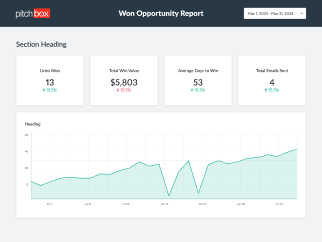
Reporting to clients can be a daunting task. Now, you can use Pitchbox connectors to easily create and share custom Google Data Studio reports with your clients, and they can see the results for themselves in real-time. Demonstrate the value of your services and foster trust by showcasing the impact of your link building campaigns using our Won Opportunity Report template.

SEO Managers
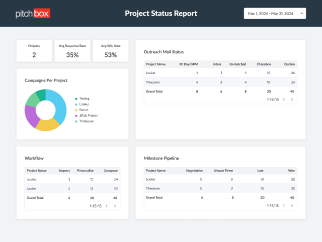
While SEO Managers handle the nitty-gritty of the daily link building grind, executives want the BLUF—the bottom line up front. Use Pitchbox’s Google Data Studio integration to report on custom KPIs that enable informed strategic decisions. Check out our Project Status Report template and see how you can easily produce high-level overviews.

See How to Set Up Data Studio Inside Pitchbox
Google Data Studio is a free data visualization tool that transforms data into engaging and easily comprehensible dashboards and reports. You can create custom reports using your Pitchbox project, campaign, opportunity, outreach, and link monitoring data.
Pitchbox’s Google Data Studio integration makes it easy for anyone who doesn’t consider themselves “tech-savvy” to create custom, sharable reports and dashboards: no coding required.
Google’s intuitive drag-and-drop report editor makes it simple to craft your data narrative utilizing various chart options, such as bar charts, geo maps, pivot tables, pie charts, and more. You can even go beyond static reports by incorporating clickable links, viewer filters, and date range controls.
To get started, go to Reports (left side menu) and click + Create Report in the Looker block.

Next, select the Connector that best suits your reporting needs.

And finally, follow Google’s Authorization prompts.
For more detailed instructions on connecting your account and creating reports with Pitchbox Connectors, see our Knowledge Base article .
Template Library
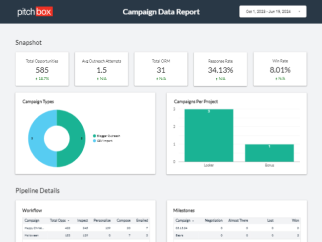
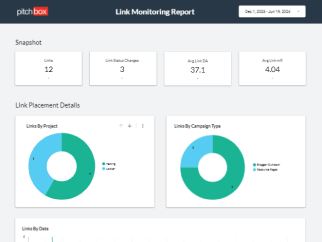
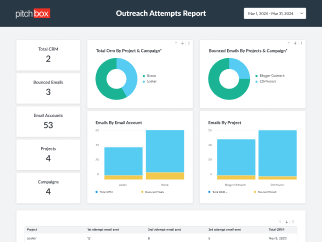
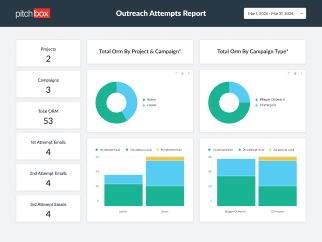
Explore our library of pre-built reports designed to streamline your reporting process. From campaign performance summaries to outreach activity breakdowns, our templates cover a wide range of reporting needs, saving you time and effort.
Gain more visibility into your link building data
See how Pitchbox can help you elevate your reporting to clients and stakeholders